The POG document contains all sections you need to reset, this one is specific to the Front End Merchandiser.
Example Only — your store’s POG may look different.
Here’s what the FEM POG header looks like. When you open your POG file, make sure you’re on the page labeled:
Shows store address (ex: 1011 S 21ST ST)
Includes your FEM width (ex: 7.2 ft)
Lists UPC codes for small bags generally priced $2.69
Shows multiple shelves (5–8 shelves depending on store - You need to follow the POG attached to the survey in your device)
If the POG matches the number of shelves continue and reset the section, even if you do not have the strips. If the materials are missing, you can still set to POG, so be sure to follow it.
EXAMPLE PHOTO ONLY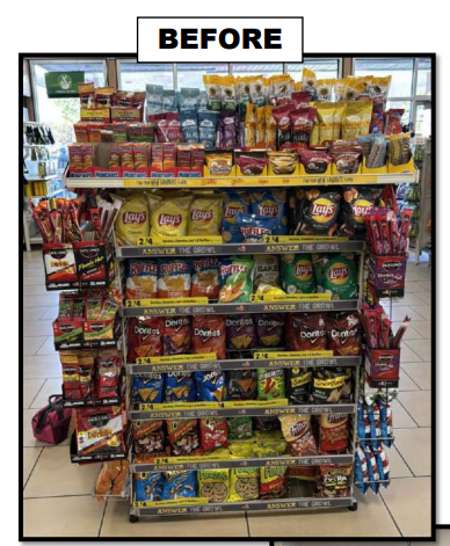
Comments
0 comments
Please sign in to leave a comment.